Now that I have initial File Creation FINISHED ... I'm onto the next tab: Graphics!
This image shows the difference between last year's work and the current version.
(06-21-2025, 02:58 AM)DerVVulfman Wrote: Indeed, I even have pop-up Hovering hints over the buttons! Though I do have issue with them and the sprite backgrounds, but I have a CHEESY workaround with my issue (for now). Hehehe, other than that, adding hovering hints like the one shown above took only a matter of minutes for the whole lot.
NOW, I wish to be able to 'Right-Click' over the records on the right, so I can bring up a pop-up menu to copy/paste records. I found my right-click window was a bit borked, so ... more effort.
With a more advanced Windows Widgets, I have more capabilities. I wasn't able to create option buttons in the prior version. And t there was so much being bypassed in the original that I felt it was a bit of a cheat.
I still need to create the scrolling NumberBar widgets for object placement and scale, and dropdown comboboxes for the target c character portrait (or characterset) and the individual graphics to be drawn. And then wiring them up as I did before.
But before, I might need to add one ore Widget option, that of drawn shapes. And frankly, that should be a piece of cake.
Mmm.... Cake...
Up is down, left is right and sideways is straight ahead. - Cord "Circle of Iron", 1978 (written by Bruce Lee and James Coburn... really...)
Wanted to share this because I am so relieved at reaching a work milestone. Today I finished the skeleton sequence of a very elaborate questline!
The party finds themselves teleported to a futuristic world where they witness the story of a mech pilot in academy (I didn't write this story, a friend did) attempt to escape the base after it's attacked.
The event scripting side of it was really challenging since I wanted to save space by including all cutscene and playable segments of the intro into the same map to save on MapID slots. (This is already MapID 652) The intro opens with several images with text to narrate, like a visual novel, then it switches to a training simulator.
I already had the tiny robot sprite sheet (not made by me, but since I saved it way back in 2006, sadly I don't know the artist's name anymore). Anyway, I wanted the training cockpit to look similar to the robot's sprite head, so I blew up the sprite and then decided to do an ultra-detailed version of it in a tileset.
This was the result, and I'm quite proud of it!
(I zoomed in the tileset version so you can see more of the details. It's much smaller when viewed at 640x480p but it still looks nice)
After another bit of dialogue, the player exits via the only door in the training room, and then goes to a hallway until they trigger yet another cutscene, and then the base gets attacked, they go to another part of the map, which triggers yet another cutscene, until finally they get transported to the outside of the base where the player's sprite and battler and class are all changed to the mecha and the player plays as the mecha during the escape.
Since it was a robot, I didn't just want it to have the boring Attack / Skill / Item / Defend. Since I wanted to accomplish this little change via a class switch, I asked DerVVulfman if there was a way to alter his older script from here to be based on class instead of character ID: https://www.save-point.org/thread-7160.html
He gave me a very quick and simple solution, so now the mecha in combat has Attack / Weapon Systems / Supplies / Defend and I am loving the little aesthetic change.
I still need to do a new save and unlock this quest line to test the intro to see if all the events function well, but once I've done that, I can resume adding the rest of the cutscenes, story text, and additional tileset images. Pretty amped at the progress! This is a bit of a scary questline to tackle since it'll require so many bespoke assets that are not compatible with the other parts of the game since this is a futuristic world.
04-20-2026, 02:58 AM (This post was last modified: 04-20-2026, 02:59 AM by Remi-chan.)
Small one this week, but I have gotten some work done!
Remi-Chan
More re-writing, and now with the Battle Introduction for Tiramisa done I've implemented it and fixed up most of the writing in regards to that event!
Frozen Tear (Prelude)
Haven't started working on the boss fight just yet. What is worth noting is because my old license for wavepad expired and the present version i had (very out of date0 decided to stop booting, I bit the bullet and updated my license, the good news is this came with a new very sleek version of wavepad with a lot of new filters and widgets, the klaxon-ass sounding voice in the video is just one example of those new features.
Xiie / Rune
No files yet, she got me a massive swarm last week though so I'm not complaining. Pjcr
Still a couple weeks before he'll be back.
04-21-2026, 11:10 PM (This post was last modified: 04-21-2026, 11:10 PM by DerVVulfman.)
Things are now going to get a little... fun.
Tristy Heals: The Trustworthy Heroine -- Created by Remi-Chan
I am going back and forth between pages as I might miss one thing or another in the initial FILES setup page. But now I have it so it can push the graphic features database into the selectable Database list on the left itself and can add the contents of the Profiles and Synchronized Graphics into their defined combo dropdown boxes.
And that's where I gotta... stop.
As I said, I am going back and forth. It dawned on me that the Sync graphics folder is USER (aka you) defined. That means it can be changed or edited. And for that, I need to add more to the FILES window; I need to add a folder selection window to let the user point to the correct directory where all their graphical lips and eye goodies are.
This is looking awesome though.
Oh, and a point about the character in the off-coral window. I just 'GIMPED' that in place. The NPC dropdown selecting her is not (as yet) able to replace one image with another. She is only in the shot for demonstration purposes, and to show just how BIG your chosen character portraits may be within this thing.
Up is down, left is right and sideways is straight ahead. - Cord "Circle of Iron", 1978 (written by Bruce Lee and James Coburn... really...)
Now that I added a few more features, I can get back to the Face Sync editor.
And with that, I added a sort of color adjust to the background window where you adjust the placement of sync graphics. This a feature I find useful in the event of colors so similar that they may blend.
And I added extra increments to the number bars so your don't just slowly move the placement rectangle around by 1 pixel at a time.
For the most part, the visual appearance is on point. So I might just skip around and add all the dialogue in this window into the INI file for language support before I go any further.
Up is down, left is right and sideways is straight ahead. - Cord "Circle of Iron", 1978 (written by Bruce Lee and James Coburn... really...)
04-28-2026, 06:22 AM (This post was last modified: 04-28-2026, 06:23 AM by Ace_V.)
Just wanted to share since it took a lot of time to execute this sequence.
Since the RTP desert isn't broken, I didn't bother fixing it...much. Because the player won't be returning to this area after the intro, I decided to use mostly RTP desert tiles but with additional sand dunes and other bits of machinery, including one BIG bit of machinery:
I'm really happy with how this upscaled mecha turned out! Sadly, the escape from last week didn't go so smoothly. While they've evaded capture, the player's friend is injured and the mecha is broken beyond repair. The player will now have to traverse the second part of the desert on foot to reach the town and get help for his injured buddy, who forced him to leave her at the crash site. Along the way he'll have to fend off sand dwellers (not pictured here, though I'll eventually share their sprite sheets on Save Point.)
This part annoyingly took forever. But the revised editor for Face Syncs has it! I can show the frames for the face sync parts in the window and position them around as you see fit!
For the record, the face sync resources are at a different scale than the portrait itself.
However, I need to make another set of conditions to select 'which' animation cel within any face part resource, the mock-up showing the very basics what that may be like. Subject to serious change, and I may increase the height of the window while reducing the height of the subsequent window below.
This was a bit difficult with my Windows Widget's "Image" object as it only loaded a whole image and did not load select frames at a given location. Oh, it can load an image, choose the size of a frame, and let you begin cropping at a certain point. But I wanted to include another method... and so I added the .bitmap= property.
In most applications, the image window can show an image based on the filename, but had little control. It would normally be the whole file showing. So I added the .bitmap= property to give me MORE control.
The new bitmap= property works pretty clean too.
Up is down, left is right and sideways is straight ahead. - Cord "Circle of Iron", 1978 (written by Bruce Lee and James Coburn... really...)
Well well, quite a productive week all things considered! Let's begin.
Remi-Chan
It's finally here... the fully remastered Boss fight and pre-fight scenes with Lady Tiramisa.
Fantasia - The Frozen Tear
And my god, what a spectacle-rich boss fight this is! Couple little errors that have since this video been fixed is the portrait for Svoli on the gab window still being Tiramisa and I've gotta fix the sound overlap ssues too, but thats easy and I already have tech good to go, just need to implement it.
Xiie / Rune
While busy working on the walking sprites for the fowlhunters, Xiie dipped her toes into the cats n dogs work orders, getting two files to me. Strawberry Creme and Snowball have official sprites, now!
Snowball and Strawberry Creme
Pjcr
No updates as of yet, but he should be back very soon.
Started on the long, arduous process of manually upscaling the sprite sheet for the "hero" mech.
I designed the original, 70px-tall sprite back in 2006, and I'm reworking the larger version now 20 years later. The 2006 large human-to-mecha-scale version was just resized and thus blurry. This time I've scaled it up properly so the edges are sharp, but just like the mecha from the week before, I'm trying to smooth out the jagged pixel look. Still deciding if I want to add more detail or just go for basic shapes. I definitely want to connect the gold "crown" to the forehead like on the left side of the sprite. Think of the Pokemon "Empoleon."
05-10-2026, 03:24 AM (This post was last modified: 05-10-2026, 03:35 AM by DerVVulfman.)
Another slight change to the design for the Face Sync Editor...
First, you may notice a SCROLL BAR at the bottom right of the screen. No longer using a numberbar system to control the background color, the new Scroll bar I designed for Windows Widgets takes care of that function.
I previously had just the face sync part have a position and frame dimension set of number boxes. Now it includes the cel selection options too. This way you can choose what mouth 'tude to show. Spirky? Perhaps? Or what type of eyes... Yes, she's glaring at us. Having that was basically planned. Just not the layout.
And I added a window that displays the current filename in action and its full dimensions, the Eyes.png file clearly an 85x230px image file. This is useful when wanting exact measurements when dividing an image up into individual animation cels.
Moving and adjusting the files works fine. But some mechanics connected are still in the works.
Up is down, left is right and sideways is straight ahead. - Cord "Circle of Iron", 1978 (written by Bruce Lee and James Coburn... really...)



 What's up, RMers?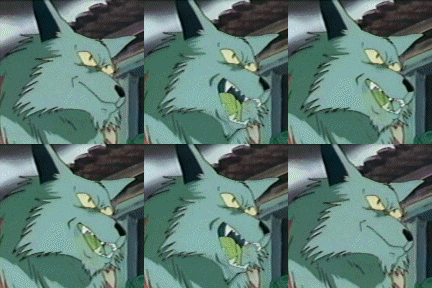


![[Image: attachment.php?aid=3083]](https://www.save-point.org/attachment.php?aid=3083)
![[Image: QrnbKlx.jpg]](https://i.imgur.com/QrnbKlx.jpg)
![[Image: sGz1ErF.png]](https://i.imgur.com/sGz1ErF.png)
![[Image: liM4ikn.png]](https://i.imgur.com/liM4ikn.png)
![[Image: fdzKgZA.png]](https://i.imgur.com/fdzKgZA.png)
![[Image: sj0H81z.png]](https://i.imgur.com/sj0H81z.png)
![[Image: QL7oRau.png]](https://i.imgur.com/QL7oRau.png)
![[Image: uSqjY09.png]](https://i.imgur.com/uSqjY09.png)
![[Image: GAA3qE9.png]](https://i.imgur.com/GAA3qE9.png)
![[Image: 2Hmnx1G.png]](https://i.imgur.com/2Hmnx1G.png)
![[Image: BwtNdKw.png%5B]](https://i.imgur.com/BwtNdKw.png%5B)




![[Image: SP1-Writer.png]](https://www.save-point.org/images/userbars/SP1-Writer.png)
![[Image: SP1-PixelArtist.png]](https://www.save-point.org/images/userbars/SP1-PixelArtist.png)



 Because the player won't be returning to this area after the intro, I decided to use mostly RTP desert tiles but with additional sand dunes and other bits of machinery, including one BIG bit of machinery:
![[Image: wDaK0xY.png]](https://i.imgur.com/wDaK0xY.png)
![[Image: RKTNrN3.png]](https://i.imgur.com/RKTNrN3.png)